Notes on Magic Mirrors
- What are magic mirrors? What can we do with reflection?
- A survey of Workflows:
- TouchDesigner
- Kinect
- Projectors
- Unity + Intel RealSense
- Lens Studio
- Processing
- Webcam Capture in Processing
- ShaderToy
Why Magic Mirrors?
“Magic Mirror” projects have historically been, my opinion, boring. When preparing this course, I interrogated my own unenthusiastic reaction to these experiences, and came to the conclusion that they aren’t inherently boring. Rather, I just find them disappointing. A mix of technical and conceptual simplicity that leaves me feeling… nothing.
For this project, the technical simplicity is a good thing! It’s makes this an excellent introductory project to these kinds of experiences.
As for the conceptual simplicity… If we did not confront the magic mirror, it would become a trap for students. The trap of magic mirrors - to rely on the playfulness of a mirror to do the heavy lifting, instead of embedding or bringing ’new’ meaning to the interaction - is a trap we can find in a lot of interactive exhibit, and serious play, projects.
So let’s all interrogate these projects together. Don’t just try to surprise me, try to surprise yourself. The structure here is loose: I invite students to challenge the boundaries of what a ‘magic mirror’ even is.
Takes on Capture
- Image capture - cameras, webcams
- Heat/Temperature capture
- Skeleton tracking/pose capture
- Gaze tracking/eye capture
- ML-assisted category/tagging
- OCR - Optical Character Recognition
Takes on “Mirrors”
- Portals (spatial adjustment)
- Funhouse (body adjustment) - Augmented Hand Series
- History (Temporal Adjustments). Eyecode, Reface
- Overlays (Juxtaposition a la fact filter), Distortion.
- Interactivity (Play, not about a mirror) - Footfalls
Takes on Displays
- Projection
- Projection onto the user
- Face Filter
- Televisions, Screens
- Phones
- Printers
- Looking Glass (Holographic Display)
- Text
Magic Mirror Projects
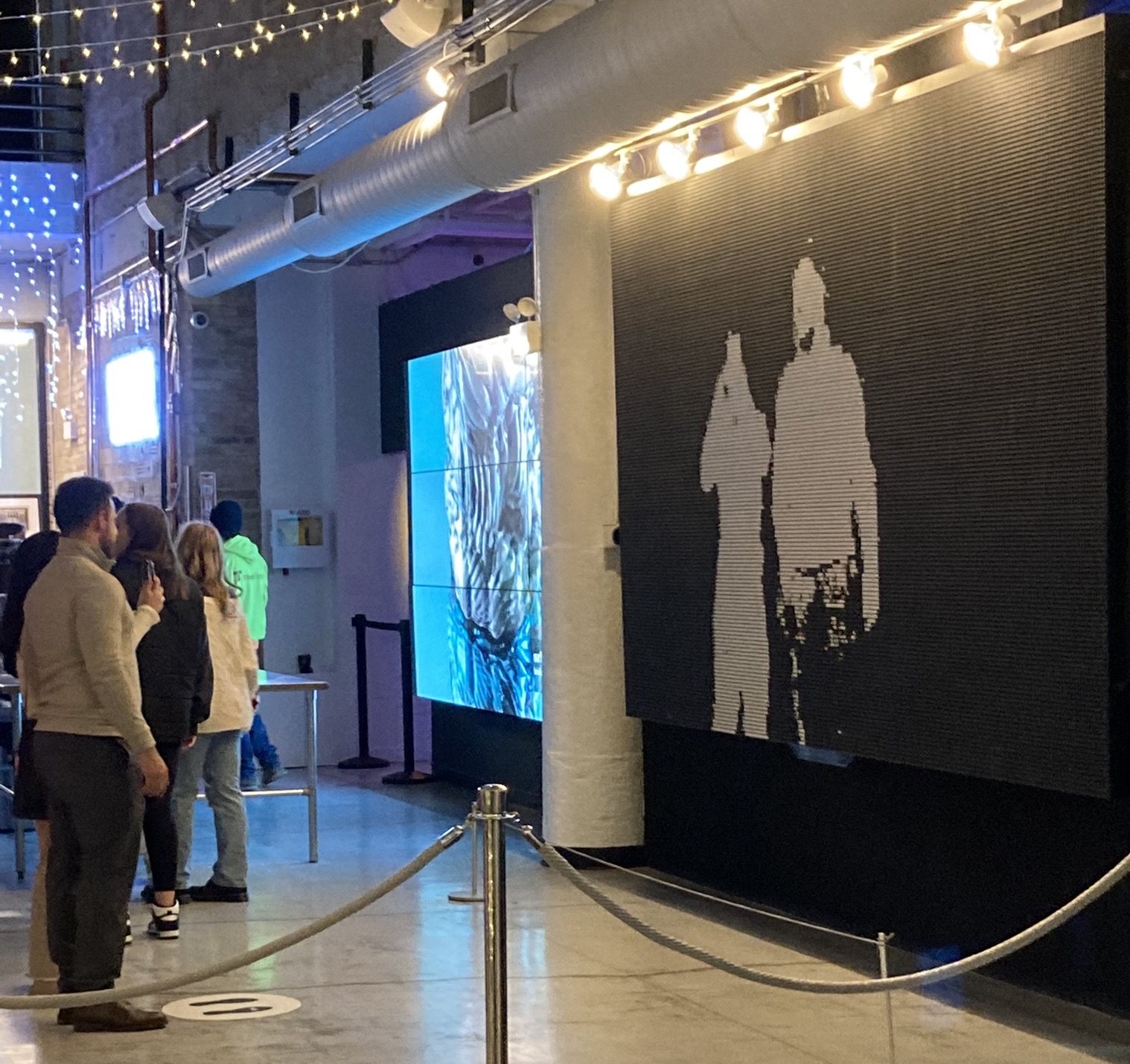 Flip Disc (Particle 45) - BREAKFAST NY